
Virtual staging
AI virtual staging for real estate photos
Furnish a vacant or dated room in your browser for a clear credit price — no subscription or editor queue.
Real result · Virtual Stage
Restage the room without reshooting it.
Furnish a vacant room, or restage a dated one.
A virtual staging result from the photographed room. Review details before publishing.

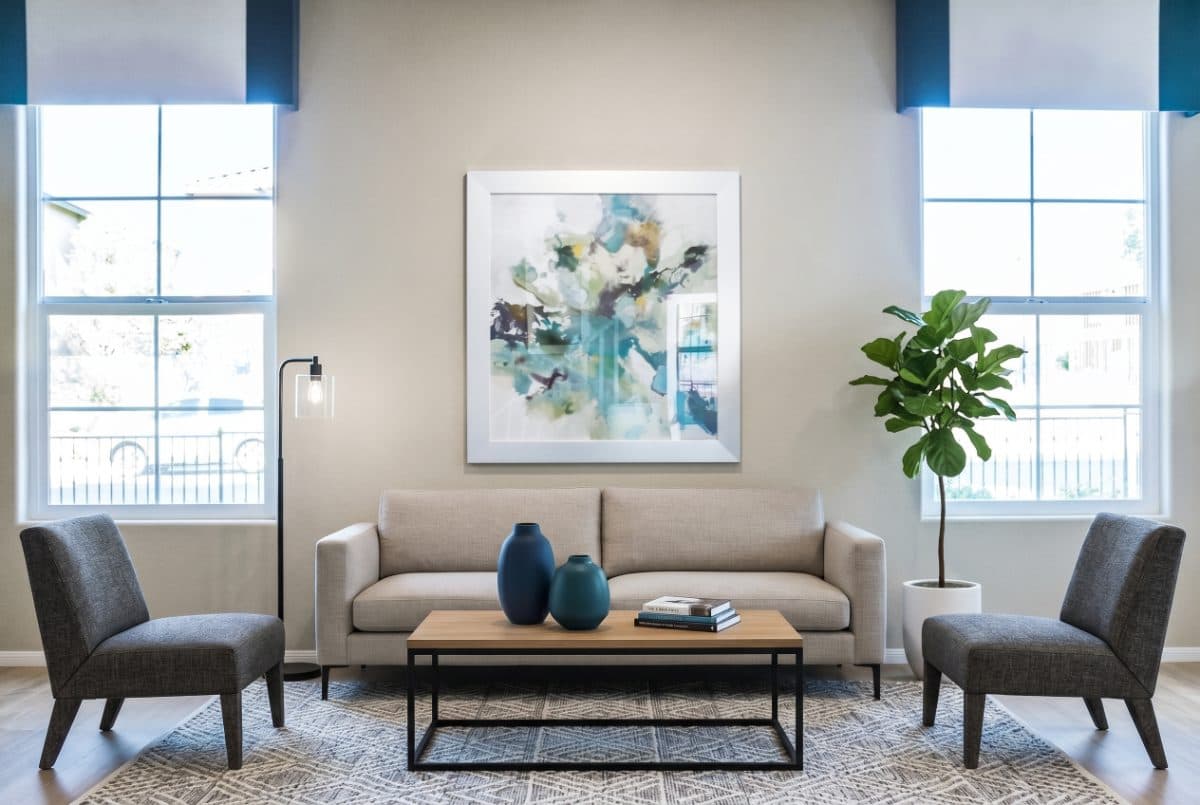
OriginalRestaged
How it works
Three steps, no design skill needed.
Upload
Choose an exterior, vacant room, or listing photo from your phone or computer.
Pick a tool
Stage it, make it twilight, or polish the photo.
Download
Review the result, then download it ready for your listing and marketing.
How paid access will work
Simple packs, after launch.
- Prepaid credit packs — no subscription.
- Purchased credits will not expire.
- The exact cost shows before every action.
Planned paid price: 2 credits per room. Paid credit checkout is not open yet; the live preview tool is available to try.
FAQ
Common questions
- Is it really my room?
- The tool is designed to furnish the photographed room while preserving permanent features. Always review the result before publishing; generative edits can make mistakes.
- How fast is it?
- Generation time varies with the photo and provider load. The workspace shows the job state while it runs.
- What does it cost?
- The planned paid price is 2 credits per room. Paid credit checkout is not open yet.
- Can I use a staged photo on the MLS?
- MLS and advertising rules vary. Check the rules for your market and brokerage, and disclose virtual staging whenever required.